Shopify Digital Downloads: 5 Delivery Methods Compared
A comparison of five ways to deliver digital products on Shopify: manual email, cloud storage links, Shopify's free app, established paid apps, and FileFlow.
By Vellir Technologies · Published 17 April 2026
Bottom line
For low volume, Shopify's free Digital Downloads app is fine. For higher volume, higher value goods, or stricter security, a dedicated app like SendOwl, Sky Pilot, or FileFlow saves you from support tickets and reduces piracy.
What Good Digital Delivery Actually Does
Behind the simple expectation of “the customer gets their file” is a small pile of decisions:
- The link goes out the moment payment clears, without anyone watching the inbox.
- Each customer gets their own URL, so a leaked link points back to a specific order.
- The link expires at some sensible point.
- The customer can come back to the file from their account if they lose the email.
- Download attempts are counted, and you can revoke a link if it gets passed around.
Any of these can be skipped if your product and your tolerance allow. The five methods below trade cost, automation, and protection in different proportions.
Method 1: Manual Email
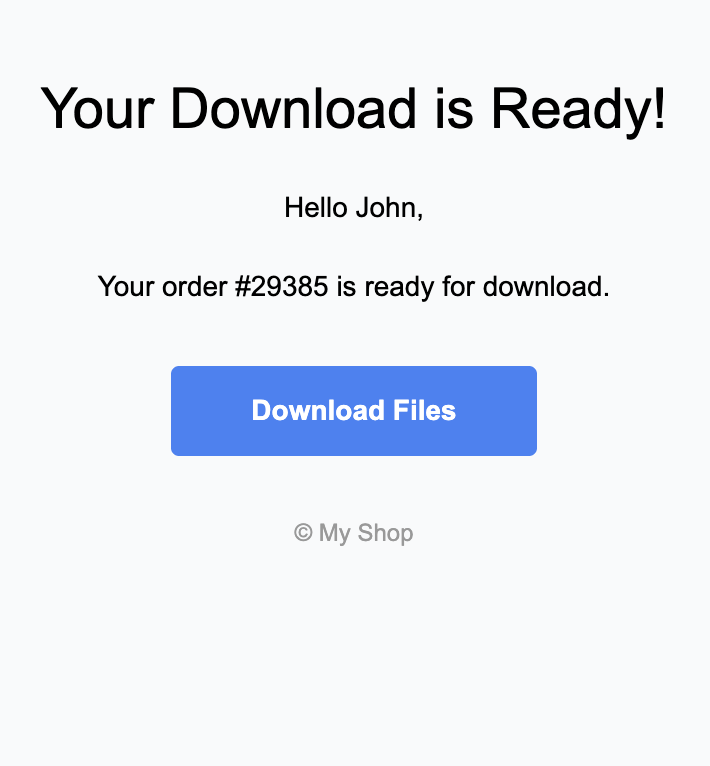
How it works: an order comes in, you see the notification, you attach the file to a reply.
Effort scales linearly with volume. Security is whatever you decide on the day, usually a static link to a cloud file. There is no record of who downloaded what.
Where it fits: a single occasional product. A free downloadable, an early ebook launch, a friend buying the file directly. Once you have more than five orders a week, it stops being viable.
Method 2: Cloud Storage Links (Google Drive, Dropbox)
How it works: drop a public or “anyone with the link” URL into the order confirmation email or the thank you page.
This automates the delivery side. The same link goes to every customer. There is no expiry, no tracking per order, no way to revoke. Once it leaks (and it will), the file is public.
Where it fits: free lead magnets, low stakes downloads, demos. The moment you charge for the file, the economics turn against you.
Method 3: Shopify Digital Downloads (the Free App)
How it works: Shopify publishes a free app that attaches a file to a product and sends a unique download link in the order confirmation email.
This is the cheapest reliable option. Each customer gets their own link, and the file is held by Shopify rather than a third party. Where it falls short: file sizes are capped, there are no download limits, no expiry settings, no detailed analytics, and the link does not surface neatly in the customer's account history.
Where it fits: low volume stores selling small files (ebooks, design assets) where the worst case of a leaked link is acceptable.
Method 4: SendOwl, Sky Pilot, and Similar Paid Apps
How it works: a dedicated delivery app sits alongside Shopify, holds the file, generates a unique URL for each customer, and handles download caps and expiry.
These apps are mature, with strong feature sets: download limits, link expiry, download pages customers can see, and (for some) a generator for software licenses. Pricing is usually a flat monthly fee per store, regardless of order volume.
Where it fits: established stores with steady digital order volume, especially those selling software, courses, or larger files. The monthly cost is small compared to the support load these apps remove.
Method 5: FileFlow
How it works: install on a Shopify store, attach files to existing products inside the Shopify product editor, customers receive their unique link automatically on purchase.
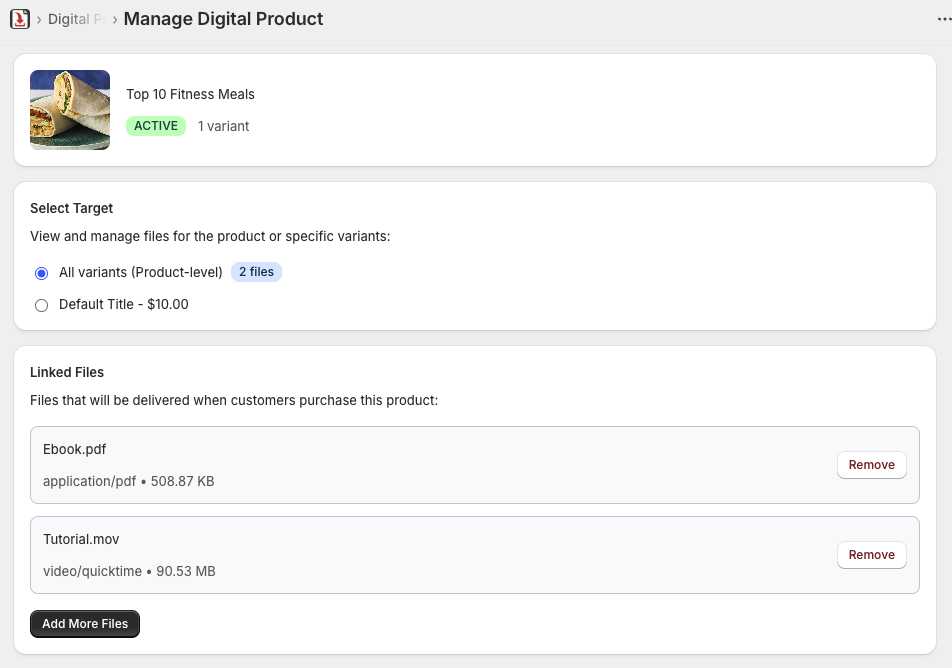
The shape is similar to SendOwl and Sky Pilot, with two differences. Files attach to existing products instead of becoming separate items in a parallel catalogue. There is a free tier, which lowers the barrier for stores still validating digital products. Download limits and expiry are configurable per product.
Where it fits: new and growing digital catalogues, especially stores that want delivery to feel like a feature of their existing products instead of a separate workflow.
Methods at a Glance
| Method | Cost | Automation | Security | Best for |
|---|---|---|---|---|
| Manual email | Free | None | Manual | Occasional sales, single launches |
| Cloud storage link | Free | In the email | Public | Free lead magnets |
| Shopify Digital Downloads | Free | Automatic | Unique link per customer, no caps | Low volume, small files |
| SendOwl, Sky Pilot, etc. | Monthly fee | Automatic | Caps, expiry, revocation | Established stores, larger files |
| FileFlow | Free tier or paid | Automatic | Caps, expiry, per product | Growing catalogues |
Edge Cases That Filter the Tools
A handful of details often decide the choice once the basics line up:
- File size. A 5MB ebook works on any of these methods. A 2GB course bundle eliminates Shopify Digital Downloads and a few of the cheaper paid apps. Confirm the cap before you commit.
- Updates to the file. If you republish a file (errata in an ebook, a new version of a template), some apps push the update to existing customers. Others lock customers to the version they bought.
- Multiple files per product. Bundles (ebook plus bonus worksheet) are awkward in some apps. Worth checking against your actual product structure before installing.
- Reporting. How often do you ask “how many people downloaded X?” If the answer is often, the analytics pages of the tool matter more than they look.
- Software licenses. Software sellers usually need to issue a unique code per customer. Sky Pilot has this built in. Most others do not.
What to Pick
If you sell one or two digital products at low volume and you are still deciding whether the line is worth keeping, Shopify's free Digital Downloads app is the right starting point. It is good enough to test the shape without committing to a monthly fee.
If you are running steady volume and your files matter (because they cost money to make, because a leak hurts, or because customers expect a smooth experience after purchase), pick a dedicated app. SendOwl, Sky Pilot, and FileFlow all do the basics. FileFlow's free tier and the workflow that attaches files directly to existing products make it a good fit for stores still scaling up. SendOwl and Sky Pilot have deeper feature sets at correspondingly higher prices.
The instinct to defer the decision is strong. Most stores end up running on a delivery app for years, so picking one that fits the way you sell now (and gives you room to grow) saves a future migration.
Frequently asked questions
- Is Shopify's free Digital Downloads app good enough?
- For small catalogues with files that wouldn't hurt if leaked, yes. For high value goods, large files, or anything where you need download limits, you'll outgrow it quickly.
- Can I share a Google Drive link in the order email?
- Technically yes, but it's the same link for every customer with no expiry. The link is easily shared outside your customer base. Acceptable for free lead magnets, risky for paid goods.
- How does FileFlow compare to SendOwl or Sky Pilot?
- All three handle automatic delivery, expiry, and download limits. FileFlow has a free tier and integrates by attaching files to existing Shopify products rather than maintaining a parallel product catalogue.
- What happens to download links if a customer loses their email?
- A good delivery app surfaces the link in the customer's account page or regenerates it on request. Manual email and static cloud links don't do this, so those tickets fall to support.